Track work where it happens, without losing context.
Effigate Desktop Timer keeps your team aligned with projects, sprints, and tasks while capturing focus time, idle gaps, and app activity. Offline-safe by design, with privacy-aware screenshots and recovery-ready sessions.
Design review
01:42:18
Progress today
5h 12m
Focus time
82%
Download Desktop Timer
Choose the build for your operating system. Each installer connects securely to your Effigate workspace.
Built for real delivery teams
Desktop Timer connects operational tracking with project context, so every minute is attributed to the right contract, task, and client.
Project and sprint context
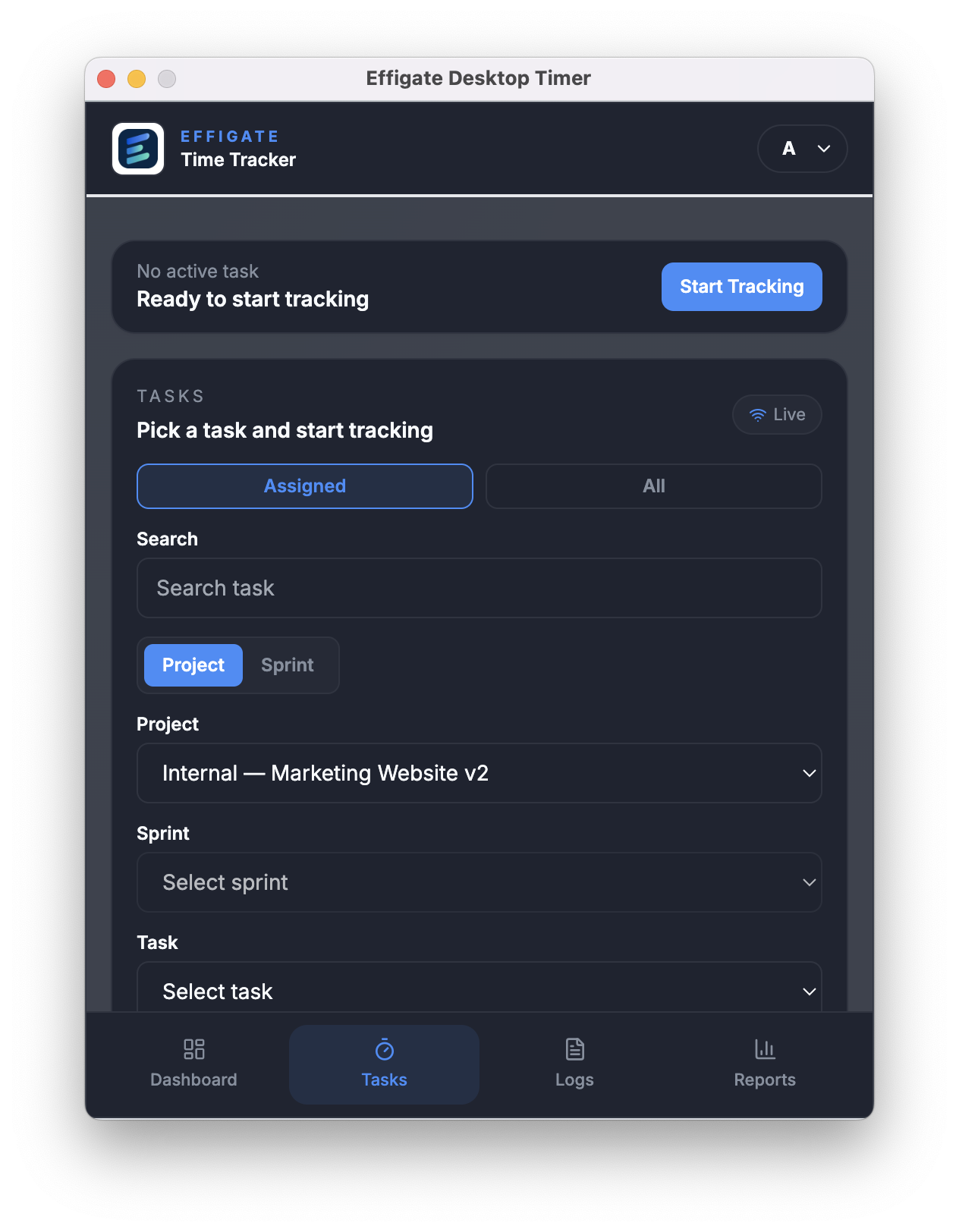
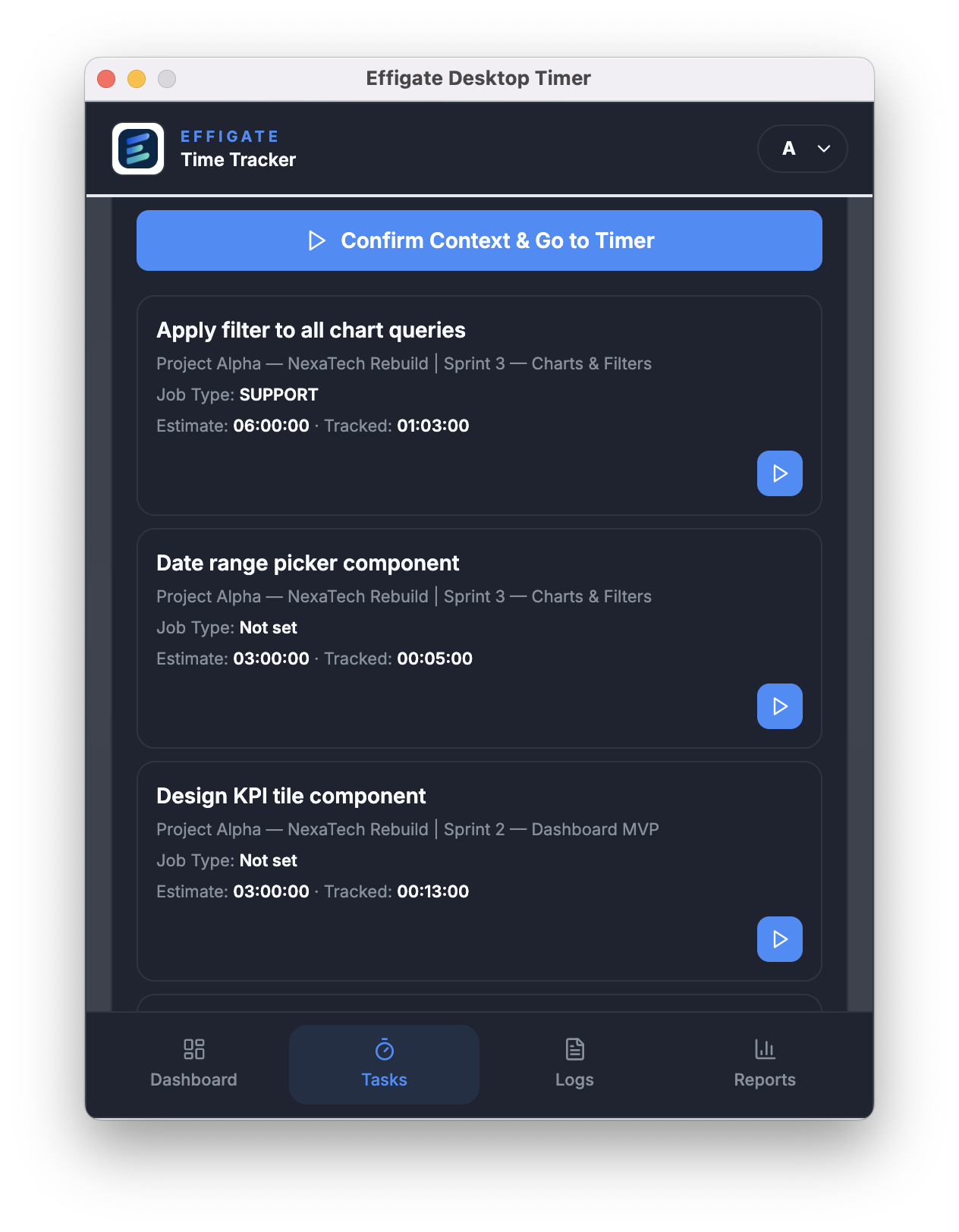
Map sessions to project or sprint mode, then bind to specific tasks for clean delivery logs.
Offline-safe tracking
Continue tracking when connectivity drops and sync when policies allow reconnection.
Idle detection and recovery
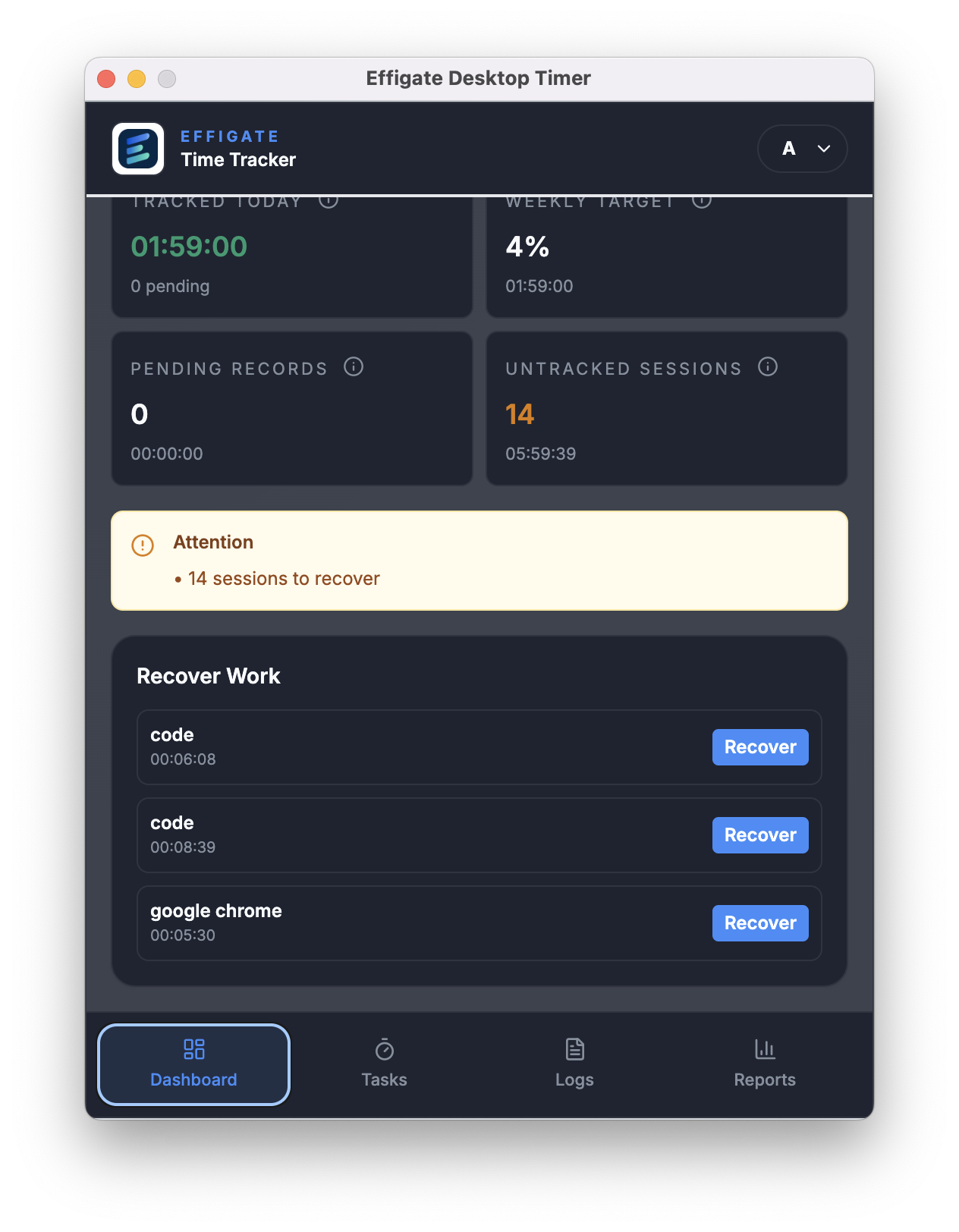
Detect idle gaps and recover untracked work in structured, audit-ready sessions.
App usage insight
Understand focus with per-app activity breakdowns and productivity summaries.
Privacy-aware screenshots
Full, blurred, silent, or disabled capture modes governed by tenant policy.
Enterprise notifications
Stay in sync with tenant alerts and timer state updates from the platform.
Desktop UI highlights
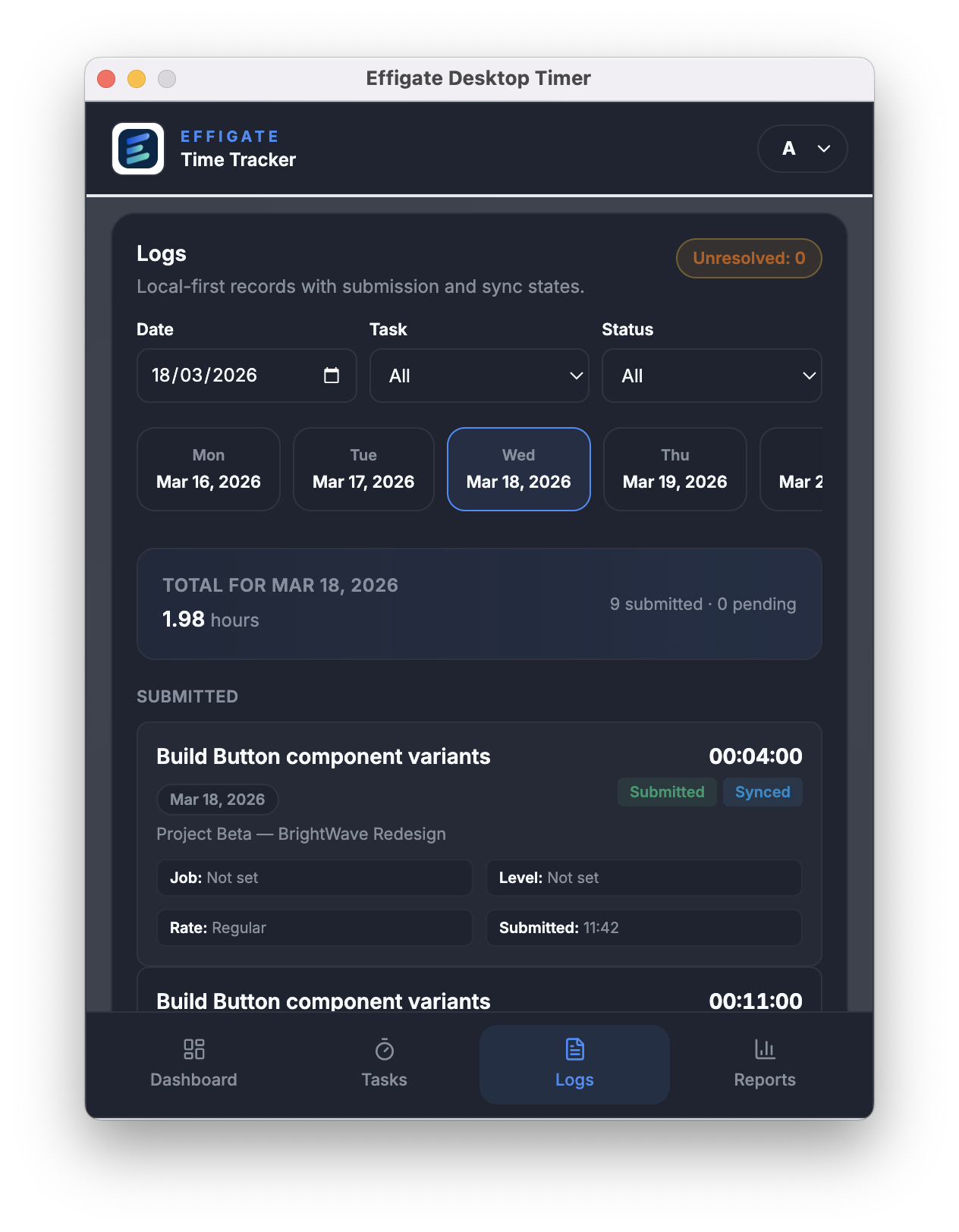
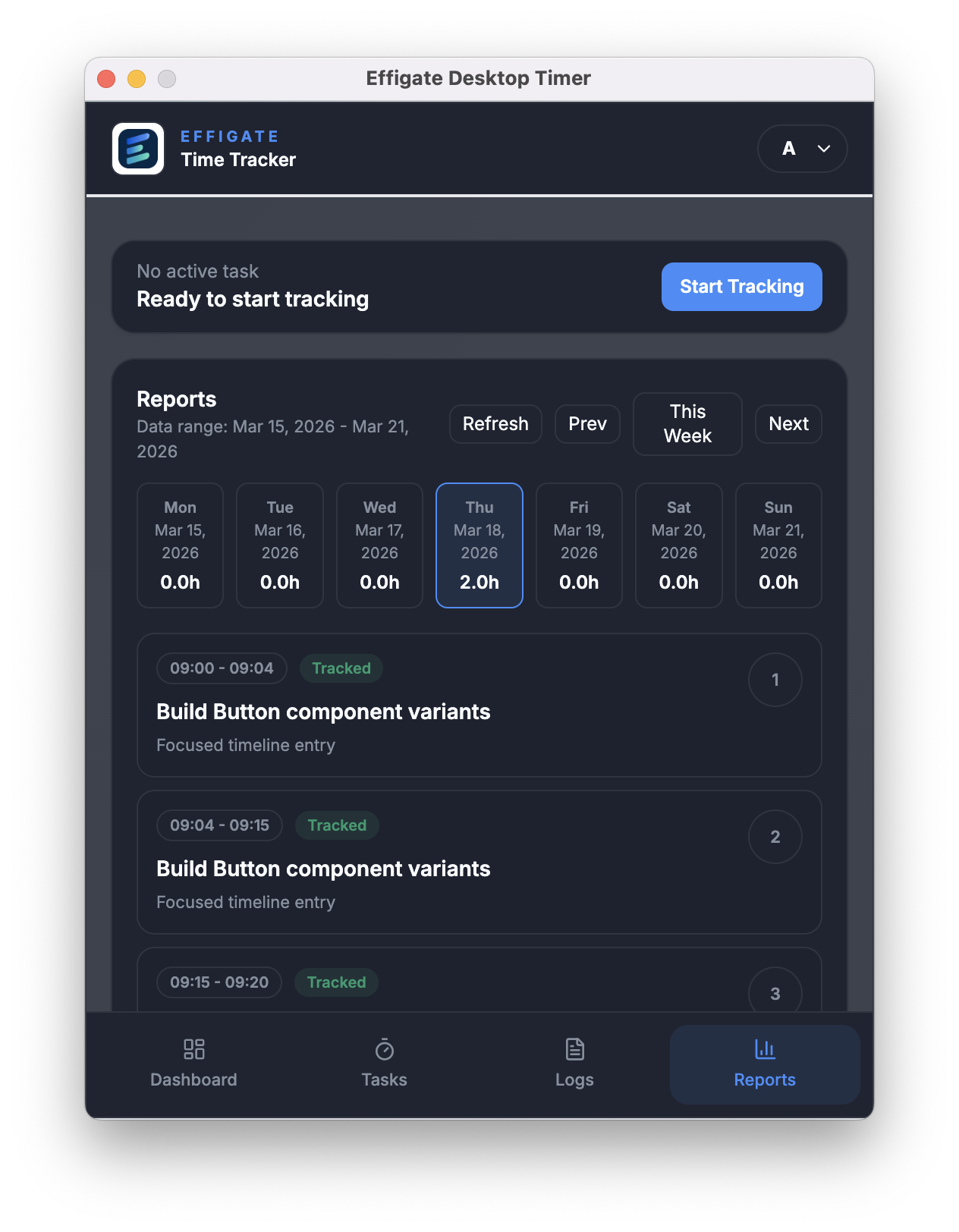
A compact, focused layout keeps time tracking visible without overwhelming the desktop. Screens, logs, and focus signals stay in one place.
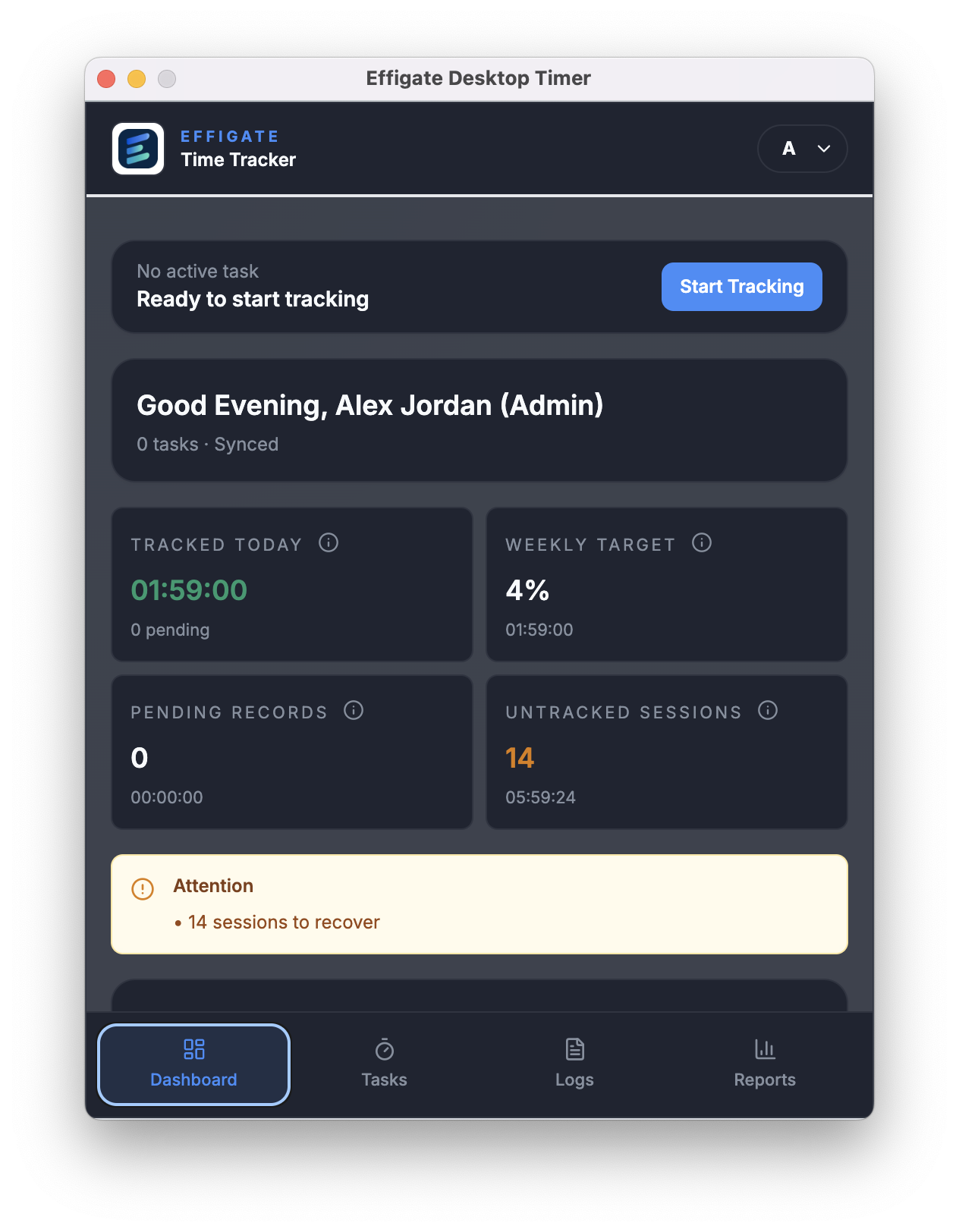
How Desktop Timer fits your flow
Start in project mode, bind time to the right task, and recover gaps without losing auditability. The desktop app mirrors Effigate governance rules, so time logs stay contract ready.
Select context
Choose project or sprint mode, then pick the right task.
Track focus
Run the timer, monitor activity, and capture screenshots per policy.
Recover gaps
Convert untracked sessions into time entries with notes and job types.
VS Code
Chrome
Ready to put time tracking on autopilot?
Launch the Effigate Desktop Timer alongside your delivery teams and keep every hour mapped, billed, and governed.